How to Collect Wedding Photos From Guests: 6 Ways Compared

The short answer
The easiest way to collect wedding photos from guests is a QR code that opens one shared upload page in the guest's phone browser, so nobody has to download an app or create an account. Put the code on every table and the welcome sign, have your MC mention it once during the reception, and text the same link the day after, when guests are home on good Wi‑Fi. Whatever you use, make sure it keeps original-quality files and lets you download everything at once.
Six ways to collect wedding photos, compared
| Method | What guests need | Quality | Video | Who sees uploads | Cost | Getting everything out |
|---|---|---|---|---|---|---|
| QR-code upload page (e.g. Replay My Day) | Phone camera and browser. No app or account | Originals on most services | Often paid plans only | Private link. Host can hide or delete | Limited free tiers. Paid is usually one-time per event | ZIP download on most paid plans |
| Shared album (Google Photos, iCloud) | Easiest if they already use that service. May need to sign in | Depends on the service | Yes | Everyone in the album | Free, but uses cloud storage | Album download |
| Group chat (WhatsApp, group text) | Join the chat | Usually compressed | Short clips | Everyone in the chat, plus phone numbers | Free | Save files one by one |
| Cloud folder (Google Drive, Dropbox) | An unfamiliar file-upload step on a phone | Originals | Yes, slow on mobile data | Depends on sharing settings | Free storage fills fast | Download the folder |
| Disposable-camera app | Usually an app, app clip or in-browser camera | Phone camera, limited shots per guest | Varies | Often hidden until a "reveal" | Often priced by guest count | Album download |
| Hire someone for candids | Nothing | Professional | If you book it | Only you | Hourly or package rates | Delivered gallery |
Many couples combine two: a QR upload page for everyone's camera rolls, plus a photographer, content creator or another photographer alternative for guaranteed coverage.
Quick picks
- Most photos, least guest effort: a QR-code upload page.
- Small wedding, one existing group chat: the chat, if guests send originals.
- Nearly everyone on one phone platform: a shared album there.
- Disposable-camera fun: a camera app, plus a way to collect camera-roll photos.
- Can't risk missing candids: hire a second shooter.
What to know about each method
QR-code upload page
A guest scans the code, the upload page opens in their browser, and they pick photos and videos from their camera roll. Everything lands in one gallery you control. With nothing to install, this usually gets the most guests to take part. Before choosing a service, check whether it keeps originals, includes video, how long the upload link stays open, and whether you can download everything at once.
How Replay My Day handles it: guests upload without an account. You get a printable table card, welcome sign and tent card with your QR code. You can hide or delete any upload, approve photos before they appear on the live slideshow, and choose whether guests can download.
| Plan | One-time price | Photos | Video | Guests can upload until | Download originals |
|---|---|---|---|---|---|
| Free | $0 | Collects up to 500 (or 2 GB), shows the first 100 | No | End of the day after the wedding | No |
| Starter | $29 | Unlimited | No | 1 month after | Yes |
| Plus | $49 | Unlimited | Yes | 6 months after | Yes |
| Premium | $79 | Unlimited | Yes | 12 months after | Yes |
Free is for testing the guest experience with a few friends. For the wedding itself, a paid plan makes every photo visible and downloadable. Try the guest upload page or see how the wedding QR code works.
Shared albums (Google Photos, iCloud)
A good fit when most guests use the same service. Google Photos lets anyone with the link view an album and add photos if you turn on Collaborate, but uploads are tied to a Google account, so other guests may hit a sign-in step.
Apple changed iCloud Shared Albums in 2026. According to Apple's limits page, albums created on iOS 27 or macOS 27 and later keep full-resolution originals, allow up to 100 participants, and count everything participants add against the owner's iCloud storage. Albums created on earlier versions still shrink photos to 2,048 pixels on the long edge and video to 720p. Apple's guide covers joining from a browser.
Group chats
WhatsApp compresses photos and videos by default (sending them as a document keeps the original), and group texts between iPhone and Android can lose quality too. Everyone sees everyone's phone number, and afterwards you're saving files one by one from a busy thread.
Cloud folders
Folders keep originals and download in one go. The catch is uploading from a phone, which many guests find unfamiliar. Google Drive usually needs a Google sign-in to upload. Dropbox file requests work without an account, but every file counts against your storage, and uploads fail once it's full.
Disposable-camera apps
Each guest gets a set number of shots, and photos stay hidden until a reveal time. It's fun, but many of these apps only collect photos taken inside the app, so you'll want another way to gather guests' camera-roll shots.
How to set it up so guests actually upload
Where to put the QR code
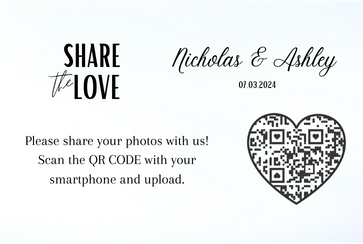
- Every table, on a table card or tent card.
- The welcome sign, which everyone walks past.
- The bar, where people wait with nothing to do.
- The photo booth or selfie spot.
- Programs, menus or favors, which go home with guests.
- Your wedding website and invitations. Our free wedding invitation QR code generator can link guests in advance.
Print the code at least 1 inch (2.5 cm) square on table cards and larger on signs read from a distance. Test-scan a printed proof with an iPhone and an Android phone, and print a short link under the code for anyone who can't scan.
If you'd rather not design a sign yourself, start from one of our free wedding photo QR sign templates and swap in your own code.
What to write on the sign
Table card
Be our photographer! Scan to share your photos and videos from today. No app or sign-up needed. Upload tonight or once you're home.
Welcome sign
Welcome to our wedding! We'd love to see the day through your eyes. Scan the code to add your photos and videos to our album.
Photo booth
Snap it, then share it! Scan here to send us your pictures. Silly faces encouraged.
Unplugged ceremony
We're having an unplugged ceremony. Please keep phones away until we're married. Then snap away and scan the code at your table to share!
When to remind guests
Reminders matter more than the sign:
- Invitation or wedding website: mention the QR code so guests expect it.
- During the reception: one announcement by the DJ or MC, after dinner or the first dance.
- The day after: a text or email with the link, once guests are home scrolling through their camera rolls.
- About a week later: a last nudge, if your upload window is still open.
MC or DJ announcement
"[Names] would love every photo and video you take tonight. Scan the QR code on your table to upload from your phone. No app needed. Weak signal? Upload later from home. The link stays open."
Day-after text
Thank you for celebrating with us yesterday! If you took any photos or videos, we'd love to see them. Upload here, no app needed: [link]. [Names]
One-week reminder email
Subject: Any last wedding photos?
Hi [Name], we're putting our album together and would love any photos or videos you took, even the blurry dance-floor ones. Upload here: [link]. Thank you for being part of our day!
To text every guest at once, Text My Wedding sends the link straight to their phones.
When the venue Wi‑Fi is weak
- Tell guests they can upload later, on the sign and in the announcement. With Replay My Day, the link stays open until the end of the day after the wedding on Free, and for 1, 6 or 12 months after on Starter, Plus and Premium.
- Print the guest Wi‑Fi details on the same card, if the venue has guest Wi‑Fi.
- Suggest saving large videos for home.
- Test a scan and upload in the reception room before the day.
- Send the day-after text to catch anything that didn't upload.
Give guests a reason to take photos
Try a wedding photo scavenger hunt or wedding I spy game, with finds uploaded through the same QR code. A wedding hashtag suits public social posts, but it won't collect the files.
After the wedding
Download everything before your plan's storage period ends and keep two backups. Share the gallery with guests as a thank-you, and ask before posting close-ups of guests publicly, especially children.
FAQ
What's the best way to get photos from wedding guests?
A QR code on every table that opens one upload page in the phone's browser, plus a reminder text the day after.
Can guests share wedding photos without downloading an app?
Yes. Browser-based upload pages, including Replay My Day, let guests scan a QR code and upload from their camera roll without an account.
How do I get full-quality photos and videos from guests?
Use an upload service that stores originals, a cloud folder, or a full-resolution shared album. Avoid group chats, which usually compress media.
How long should guests have to upload?
At least a week, because many guests share once they're home. Replay My Day keeps uploads open through the day after the wedding on Free, and for 1, 6 or 12 months on Starter ($29), Plus ($49) and Premium ($79). Video uploads are included on Plus and Premium.
Is there a free way to collect wedding photos?
Shared albums, group chats and free cloud storage cost nothing, with the trade-offs above. Replay My Day's free plan collects up to 500 photos (or 2 GB) but shows only the first 100 and has no downloads, so it's best for a trial run.